04:47 
 
 
<< Trends Smartphones 2009 Startseite Qual der Wahl - 3G Netze im Überfluss >>
Google G1 Android mit Microsoft Exchange 2007 Server synchronisieren (Software)

Themen: , , ,

| More

Das Google G1 Smartphone ist mit Android angetrieben. Die Benutzerschnittstelle ist frisch, einfach und intuitiv, beachtenswerterweise bereits in der Version 1.0 im ersten kommerziell erhältlichen Smartphone von Google/HTC. Den vollen Power erhalten jedoch nur Nutzer, die Kontakte/Termine/Mails mit einem Google Account nutzen. Dass hier Benutzer die alle diese Daten auf einem Microsoft Exchange Server haben müssen oder wollen, draussen bleiben, ist klar. Zwar können per IMAP oder POP3 beliebige E-Mail Konti mit dem G1 reingezogen werden, Kalender/Kontakte bleiben jedoch draussen.


Abhilfe schafft die Software TouchDown von Nitrodesk: Zur Zeit erst in einer kostenlosen Version verfügbar, die jedoch nur die tagesaktuellen Termine sowie E-Mails drei Tage zurück und Kontakte abgleicht. Eine kommerzielle, lizenzierte Version steht kurz vor dem Start, dort gelten diese Einschränkungen nicht, und es wird bis hin zu Microsoft Exchange 2007SP1 und Push E-Mail alles unterstützt. Ein kurzer Test der für uns bereits lizenzierten Version von TouchDown ergab folgendes:

  • Schnell und einfach eingerichtet
  • Klares Benutzerinterface
  • Funktioniert einfach! Bravo!

Jedoch: Touchdown ist als Applikation auf dem G1 installiert. Man startet das Programm, und hat nur von dort aus Zugriff auf die Exchange- E-Mails, Kontakte, Termine. Kontakte werden nicht mit der G1 eigenen Kontaktverwaltung abgeglichen, sondern parallel dazu. Dies bringt gewisse Nachtteile z.B. Rufnummernanzeige bei eingehenden Anrufen, etc. Gewisse Funktionen sind jedoch aus den TouchDown-Kontakten heraus aufrufbar wie z.B. Anruf starten, E-Mail an Adresse senden oder Adresse auf GoogleMaps zeigen lassen. Gemäss Nitrodesk (sehr rascher und toller E-Mail Support) ist auch die Integration (oneway) zu Android Kontakten wie auch Caller-ID Anzeige direkt aus TouchDown Kontakten geplant.


Bildstrecke mit Screenshots


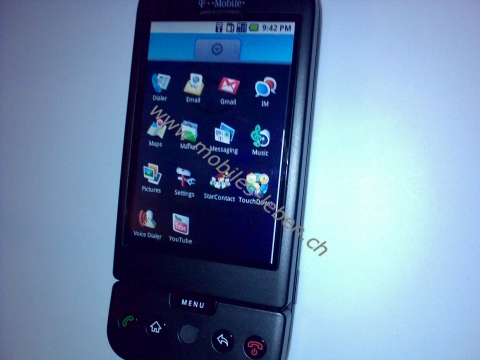
TouchDown ist als eigenes Programm auf dem G1 installiert, rechts in der zweituntersten Reihe im Bild oben sichtbar...


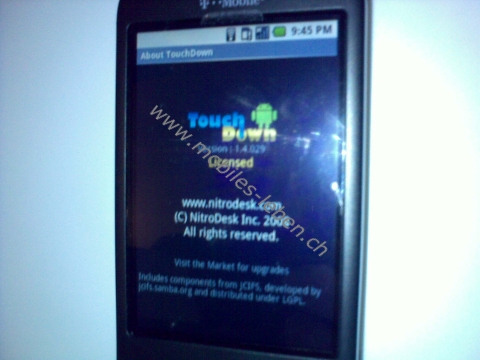
...im Bild oben der About Screen der registrierten Version....


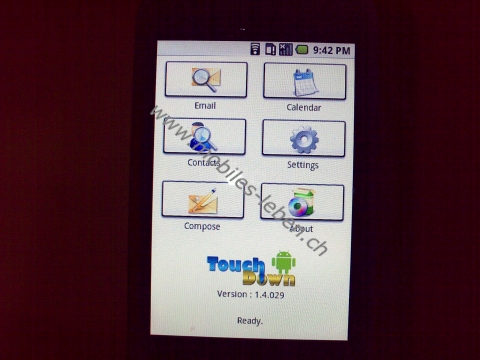
...die Startansicht nach dem Öffnen von TouchDown...


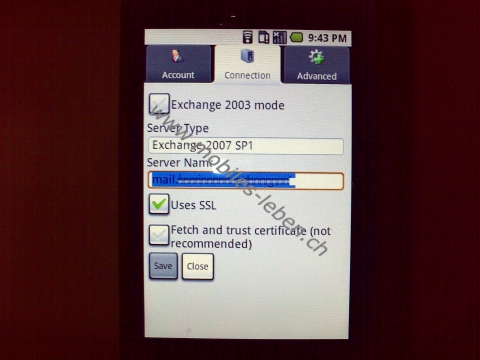
...oben die Server Settings...


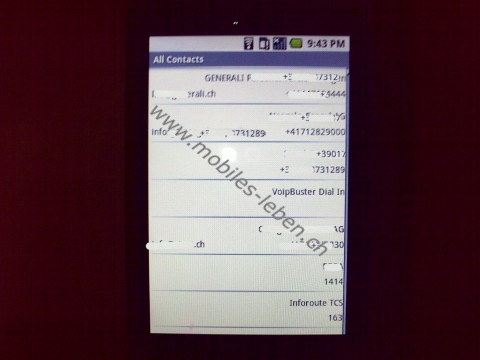
...Kontakte....


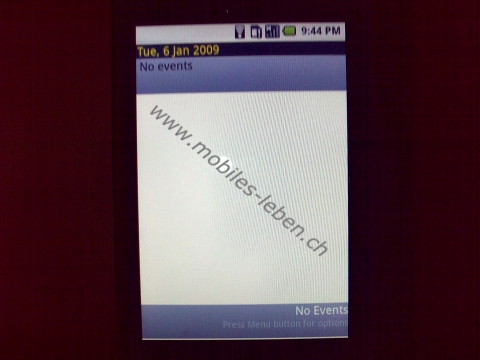
...Termine - hier netterweise ein freier Tag ;-) ...


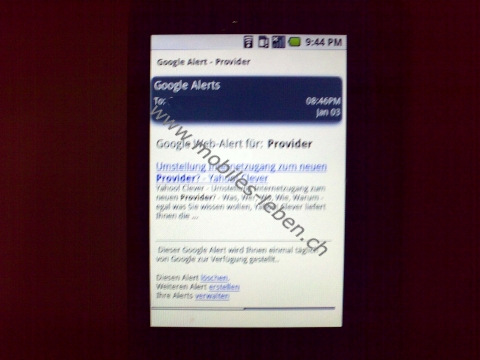
....und E-Mail Ansicht (Einzelmeldung).

Zur Informationsquelle

Admin, 8.1.2009 | Permalink

blog comments powered by Disqus
Kommentare

Kommentar von S. Schlauri am 8.1.2009:
Damit kann man Android also ent-googeln? Langsam wird das System interessanter...

Kommentar von admin am 9.1.2009:
Am 5.1.2009 ist Version 1.4.035 erschienen, was gegenüber der von mir getesten Version 1.4.029 doch schon eine rechte Liste Bugs fixte, sh. [URL] Version 1.4.035 (Monday, 1/5/2009) SEVERE BUG FIX Fixed a serious bug with 1.4.033 emails sent from the phone were repeated multiple times. Version 1.4.033 (Friday, 1/2/2009) SEVERE BUG FIX Fixed a serious bug with 1.4.032 where settings were being wiped out on a refresh. Version 1.4.032 (Friday, 1/2/2009) Customizable Alerts Now you can customize the alerts you recieve on new email as well as for appointment reminders. Go to Settings/Advanced and click on Email Alerts/Appointment Alerts Auto-Snoozing You can now set an interval for appointment reminders to snooze automatically if you do not dismiss them. Insistent Alerts You can now optionally set your reminders and alerts to be insistent - select the "Nag until cancelled" option. This will cause the alert to be repeated until you acknowledge the event. Reminder Popups When you go to the calendar view now, if you have reminders that are either snoozing or past due events, a dialog will pop up showing these. You can dismiss each alert with a long press, or click Dismiss All to clear all of them. Quote by Default Now if you are replying of forwarding a message, Quote original is checked by default. Just Type When replying or forwarding, the focus now is set on the body, so you can just start typing Set/Change Reminders Now you can click on any appointment which has not occurred yet and set or change the reminder. Move Database to SD you can access this option from the menu on the main screen. selecting this will move the database to the SD card. If the Database is already on the SD Card, this option moves it back to the device. List scrolling Now the Email and Contacts list will preserve the scroll position when you come back to it from performing other operations. Contacts List Long Press menu Long pressing a contact gives you options to operate on the selected contact. Reply/Reply All When you do this, you will be taken directly to the compose message tab. Font Size Now you can select font sizes for the email view (Settings , third tab). Optimized Exchange 2003 This version has some optimizations for initializing an exchange 2003 installation, as well as a potential fix for those cases where changes to contacts list are not propagated to the device. BugFix: & and other special characters in the message subject or body was causing exchange 2007 clients to fail silently when sending email. BugFix: Occassional missed emails on Exchange 2007. BugFix: Contact Dupes When editing existing contacts, a duplicate was being created. FREE Edition (NEW) now available on Android Market (1.4.029) A Free Read-Only Edition of TouchDown is now available in the Android Market. This edition allows you to connect to your exchange server and retrieve your Inbox, with a message history of one day, retrieve your contacts as well as the day's calendar. If all you want is a way to check email, view your contacts and the current day's calendar, the Free Edition may be right for you. If you already have a licensed version, we have tried to ensure that installing the free edition will cause your installation to be preserved and still fully functional. Licensed users can now install the market application over the existing installation to upgrade to new versions.

Kommentar von admin am 13.1.2009:
Bereits ist Version 1.4.0367 erschienen: u.a. Support für Attachments und Contacts Search. Toll, wie TouchDown weiter entwickelt wird! Download: [URL]

Kommentar von admin am 30.1.2009:
Touchdown Version 1.4.051 ist aktuell - neue Funktionen wie Unterstützung von Besprechungseinladungen, zwei Methoden um auf Besprechungsanfragen zu antworten, Umlaute/Koreanische/Chinesiche Zeichen besser unterstützt, Ordnerlisten auch in deutscher Sprache unterstützt, Kontaktauswahl geändert, Bug mit leeren E-Mails gefixt.

Kommentar von admin am 11.2.2009:
Und bereits steht Version 1.4.070 als Preview zur Verfügung [URL] . Neuerungen: Termine auf Android Handy erstellen, Termine löschen inkl. Terminabsagen an alle, schnellere E-Mail Ladezeiten, Fehlerbehebungen beim automatischen Abgleich, Kalenderansichten per Fingerslide wechseln, Events auswählen, E-Mail multi selection, Folderhierarchien in Französisch unterstützt, u.v.m. Nächste Woche soll die Arbeit an 1.5.000 beginnen, was dann Active Sync Push Support beinhalten wird.

Kommentar von admin am 13.2.2009:
Und bereits ist Version 1.5 erschienen, es gibt jenste Verbesserungen in dieser Version. Download im Market oder direkt hier [URL]

Kommentar von admin am 7.5.2009:
Version 3.0.050b steht bereit: [URL] Schnellere Konfiguration, mehr Stabilität, und neue Ansicht des Home Screens sind einige Punkte, die neu sind.


Themen, gewichtet
, , , , , , , , , , , , , , , , , , , , , , , ,

Social Networking & Co. Social Networking & Co.
  • RSS
  • RSS
    (Kategorie 'SOFTWARE')

Follow us on Twitter mobiles-leben.ch on Facebook

Kategorien

Archiv

  © by WebTooL.NeT GmbH, St.Gallen, Switzerland, 1996-2012. Implemented by WebTooL.NeT GmbH. (Impressum)